Turn Any PDF Into an Apple Wallet Pass. Privately.
Convert concert tickets, boarding passes, gym cards, and more in seconds. Your documents never leave your phone.




Free to try · €4.99 one-time

Three taps. Complete privacy.
Screenshot or PDF in. Wallet pass out. That's it.
Screenshot or Share
Take a screenshot or share from Mail, Gmail, Files, Safari, or any app.
On-Device Processing
NeatPass reads the barcode, date, time, and details. All on your iPhone. Takes about 20 seconds.
Add to Wallet
One tap to Apple Wallet. Shows up on your lock screen when you need it.
What 20 seconds gets you
From cluttered folder to organized passes.
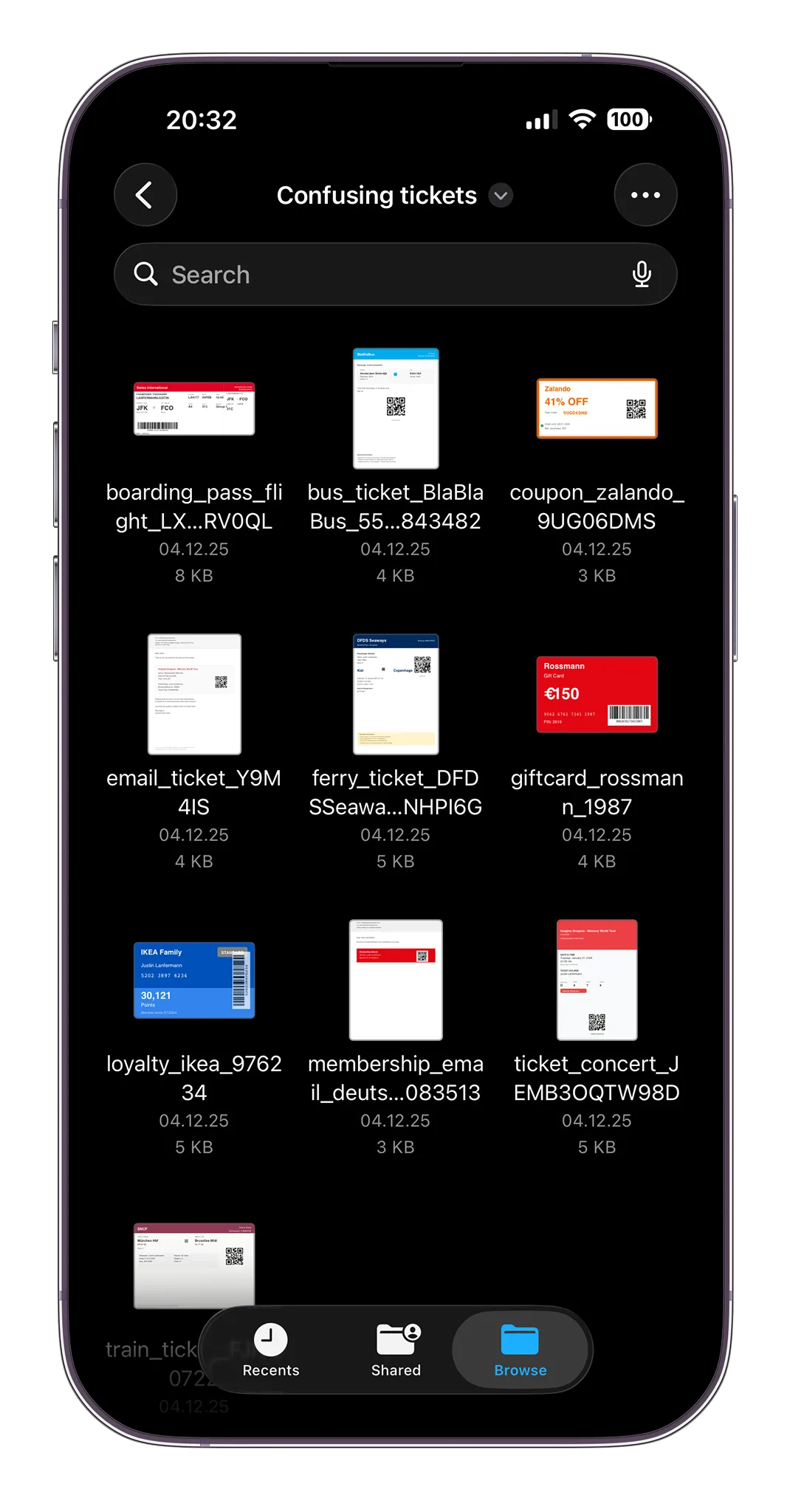
Digging through a folder of tiny, confusing thumbnails.
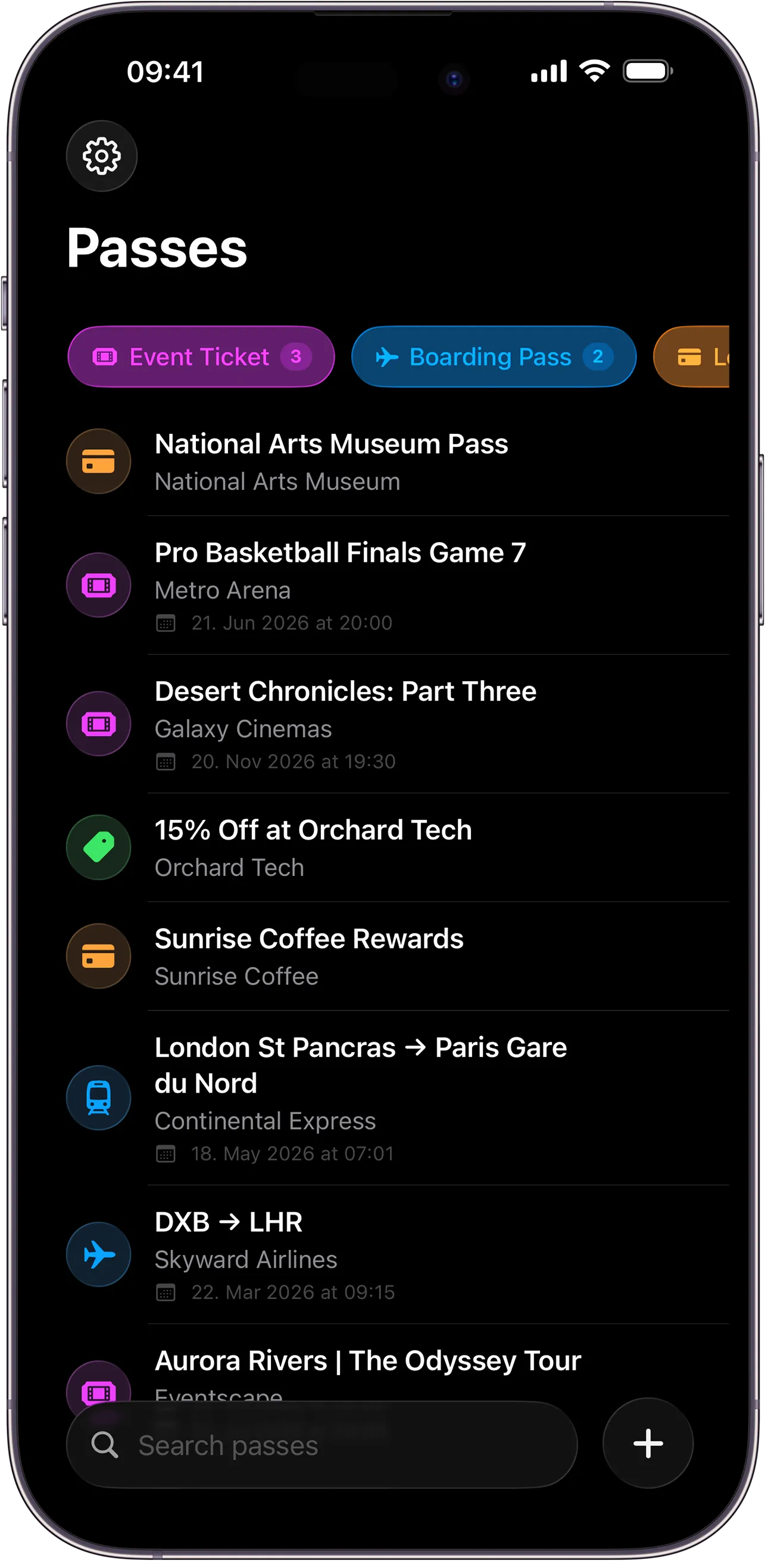
Every pass organized, searchable, ready when you need it.
Join 7,000+ users who've organized their tickets
Built for real tickets, not feature lists
Concert tickets, flight passes, gym memberships, hotel reservations. If it has a barcode, it works.
20 Seconds, Done
From screenshot to Wallet pass. Faster than digging through your inbox.
Your Data Stays Put
Everything processes on your iPhone. Only cryptographic hashes reach our signing server. Never your content.
18 Barcode Formats
QR, PDF417, Aztec, Code 128, Data Matrix, and more. Automatic detection and conversion.
Smart Lock Screen
Your pass appears when you arrive. No unlocking. No searching.
Customize Passes
Add logos, adjust colors, set custom fields. AI extracts colors automatically from your ticket.
Works Offline
No internet needed. The ML model lives on your phone, not in the cloud.
Smart Extraction
Share any messy screenshot. The AI finds barcodes, dates, times, and seat numbers. No manual entry needed.
Your data stays where it belongs
Most pass converters upload your documents to cloud servers. NeatPass is different.
On-Device Processing
Every conversion happens on your iPhone using MLX. Nothing uploaded to process.
Zero Content Exposure
A signing server only sees cryptographic hashes. Your ticket content never leaves your phone.
No Account Required
No login. No email. No registration. Start instantly.
Zero Data Collection
No analytics. No tracking. We can't see your documents even if we wanted to.
Pay once. Yours forever.
One price. Full features. No recurring fees.
Try it free. No watermarks.
- Unlimited conversions
- All barcode types
- Custom colors and logos
- On-device processing
- Updates included
- One-time purchase
Users love NeatPass
"All you do is import a PDF and it locally on device uses AI to parse it and create a pass for you. Knowing that the AI processing is happening locally can be a relief."

Mikah Sargent
iOS Today, TWiT
"Your app really works! I actually purchased tickets to a con and because BOTH the barcode and QR code is in PDF, and used your app to converted it to a pass, I was able to check in flawlessly!!"
@sailormikey
App User
"I have been using the app for a few weeks now and it's been great!"
Brian P.
App User
"I've wanted this for so long. Thank you! Really great work too - nice clean design."
@thezignal
App User
"This app looks like a Holy Grail for Wallet!"
@piotrzet_
App User
"It's pretty amazing! I needed this."
@marcovanhaaften
App User
"The world needed this"
@dannystuart
App User
Questions you might have
Anything with a barcode. Concerts, flights, trains, gyms, parking, conferences, loyalty cards, student IDs. If you can screenshot it or get it as a PDF, it probably works.
Yes. QR codes, PDF417 (airline barcodes), Aztec codes, Code 128, and more. The ML model finds whatever barcode is there.
Your passes live in Apple Wallet, not in NeatPass. Delete the app, keep your passes. With iCloud enabled, they sync across your devices and come back automatically if you reinstall.
Running machine learning on-device takes compute. 20 seconds is fast for local processing that never touches a server.
iOS 18.1 or later on iPhone 12 and newer. iPhone 11 and SE work but may need other apps closed to free up memory for the ML model.
Yes, before adding to Wallet. Once in Apple Wallet, you'd make a new one. That's how Wallet works.
No account. No uploads. No tracking. Just conversion.
Try completely free. €4.99 for unlimited passes.
App Store is a service mark of Apple Inc.